
Payments SDK (React)
Breeze SDK allows for embedding our payment page on your front-end with little to no configuration required.
Example Integration
For a complete example of how to integrate the Breeze Payment Page SDK, visit our demo repository.
You can also see the SDK in action on our live demo site.
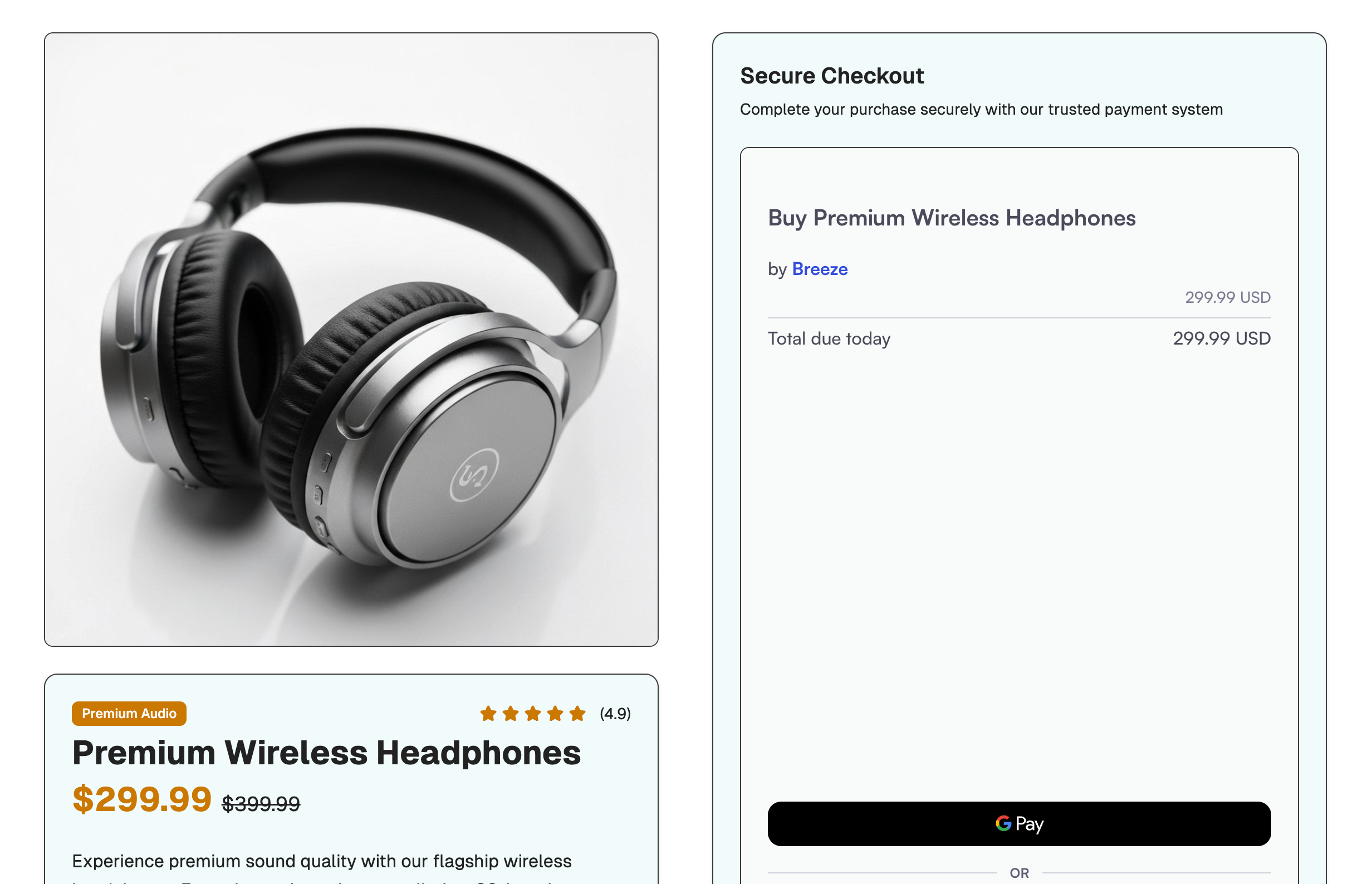
Demo site
Download the SDK
You can download the SDK by running:
npm install @breeze.cash/uiyarn add @breeze.cash/uiEmbedding the payment page
You can get the pageId and clientSecret from creating a payment page endpoint.
import { BreezePaymentPage } from "@breeze.cash/ui";

...
return (
  <BreezePaymentPage
    url="..." // from the API
  />
);
...
Props
| Name | Type | Required | Description |
|---|---|---|---|
| url | string | ✅ | URL return from the create payment page API |
| style | CSSProperties | CSS styles for the UI | |
| onPaymentStatusChange | (status: PaymentPageStatus) => void | Callback when payment page status is changed
| |
| onPaymentEvent | (event: string) => void | Fires on UI interaction events. Use for analytics and tracking. See onPaymentEvent events below for the full list of event names.
|
onPaymentEvent events
onPaymentEvent eventsThe onPaymentEvent callback receives one of the following string event names:
| Event name | Trigger |
|---|---|
payin_click_all_pay_button | User clicks the main pay button |
payin_click_all_retry_button | User clicks retry after a failure |
payin_imprs_apple_pay_button | Apple Pay button becomes visible |
payin_imprs_google_pay_button | Google Pay button becomes visible |
payin_click_apple_pay_button | User clicks Apple Pay |
payin_action_apple_pay_button_cancel | User cancels the Apple Pay popup |
payin_action_apple_pay_payment_success | Apple Pay payment succeeded |
payin_click_google_pay_button | User clicks Google Pay |
payin_action_google_pay_button_cancel | User cancels the Google Pay popup |
payin_action_google_pay_payment_success | Google Pay payment succeeded |
payin_click_pay_with_card_button | User selects card payment method |
payin_imprs_card_details | Card form becomes visible |
payin_click_card_number_entered | User completes card number field |
payin_click_card_expiration_date_entered | User completes expiration date field |
payin_click_card_cvv_entered | User completes CVV field |
payin_click_card_email_entered | User completes email field |
payin_click_card_first_name_entered | User completes first name field |
payin_click_card_last_name_entered | User completes last name field |
payin_click_card_zip_code_entered | User completes zip code field |
payin_action_card_input_validation_error | A card input field fails validation |
payin_click_card_pay_button | User clicks pay on the card form |
payin_click_card_retry_button | User clicks retry on the card form |
payin_action_card_payment_success | Card payment succeeded |
payin_action_3ds_requested | 3DS authentication requested |
payin_action_3ds_cancelled | 3DS authentication cancelled by user |
Best Practices for onPaymentStatusChange callback
onPaymentStatusChange callbackUse this for immediate UI updates to provide feedback to your customers (show loading states, success messages, etc.)
However, you should use our backend webhooks as the source of truth for fulfillment and business operations.
This separation is crucial because:
- Customers might close the browser before frontend callbacks complete
- Frontend code can be tampered with by malicious users
- Some payment methods (like bank transfers) don't provide immediate confirmation
Never rely solely on frontend events for order fulfilment or critical business operations. The webhook system provides the reliable source of truth for payment statuses.
Enabling Apple Pay for SDK
To enable Apple Pay for SDK usage, proceed to dashboard.breeze.cash/developers/apple-pay to complete the domain certification for the domain where the SDK is hosted.
Adding the domain certification
When you receive the domain certification file, host it on your domain at the path {YOUR_DOMAIN}/.well-known/apple-developer-merchantid-domain-association.txt
If you are using Vite, you can simply add the textfile under /public folder.

Placing it in the public folder for Vite
Updated about 1 month ago